top of page


RoShamBros
Tools
Unity
Adobe CC
Trello
Genre
2D
Action Platformer
Brawler
Competitive
Team Size
1



What's this?
Breakdown of Work
Solo project
-
Game Design
-
Prioritizing "game feel"
-
Art-focused, mechanics are adjusted based on art
-
-
C# Programming - Unity
-
Tons of Game Managers!
-
-
Art/Animation
-
Cartoon 2-D style
-
-
Technical Art
-
Layered Animators
-
Designed UI
-
Color-assigned player profiles and effects
-
Timeframe
-
5 months (currently on hiatus)
An homage to the classic Rock-Paper-Scissors, stylized as a 4-player brawler!
Design Goal
Players must switch rapidly to counter each other!
This dynamic of quick-swapping between the three character types functions as an offensive and defensive ability. However, it also leaves them highly vulnerable to the character that counters them.
Characters must be unique, fun, and absolutely destroy what they counter!
RoShamBros is an animated platformer-brawler, created with the design goal of re-imagining the classic Rock, Paper, Scissors as a rapid paced brawler. As players can quickly change between three characters on a whim, characters' mechanics and animations for attack and movement are designed to expressive and visually different from each other.
Expressive Animation for Mechanics
Rock Crushes Scissors
Paper Mummifies Rock
Scissors Slices Paper
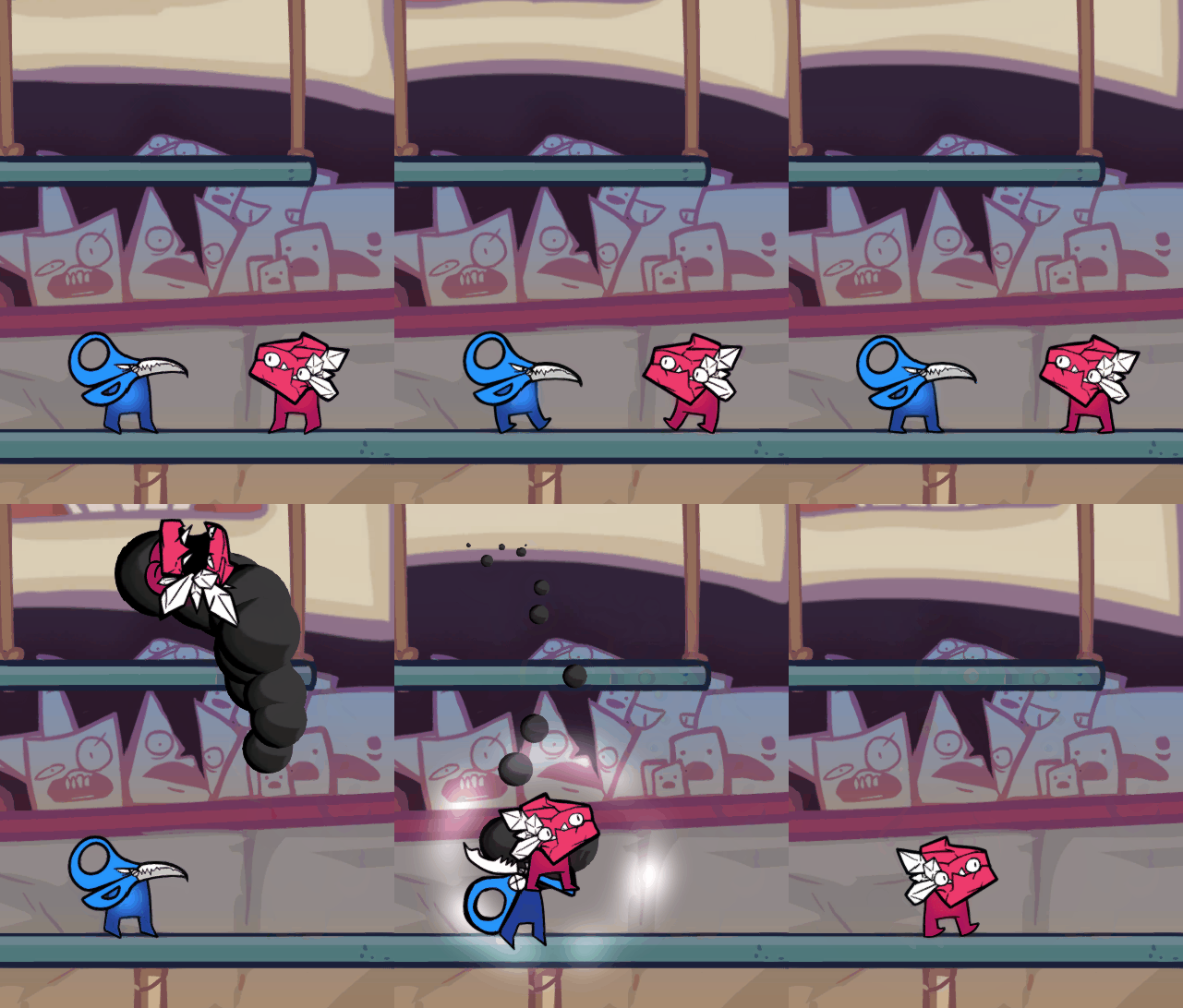
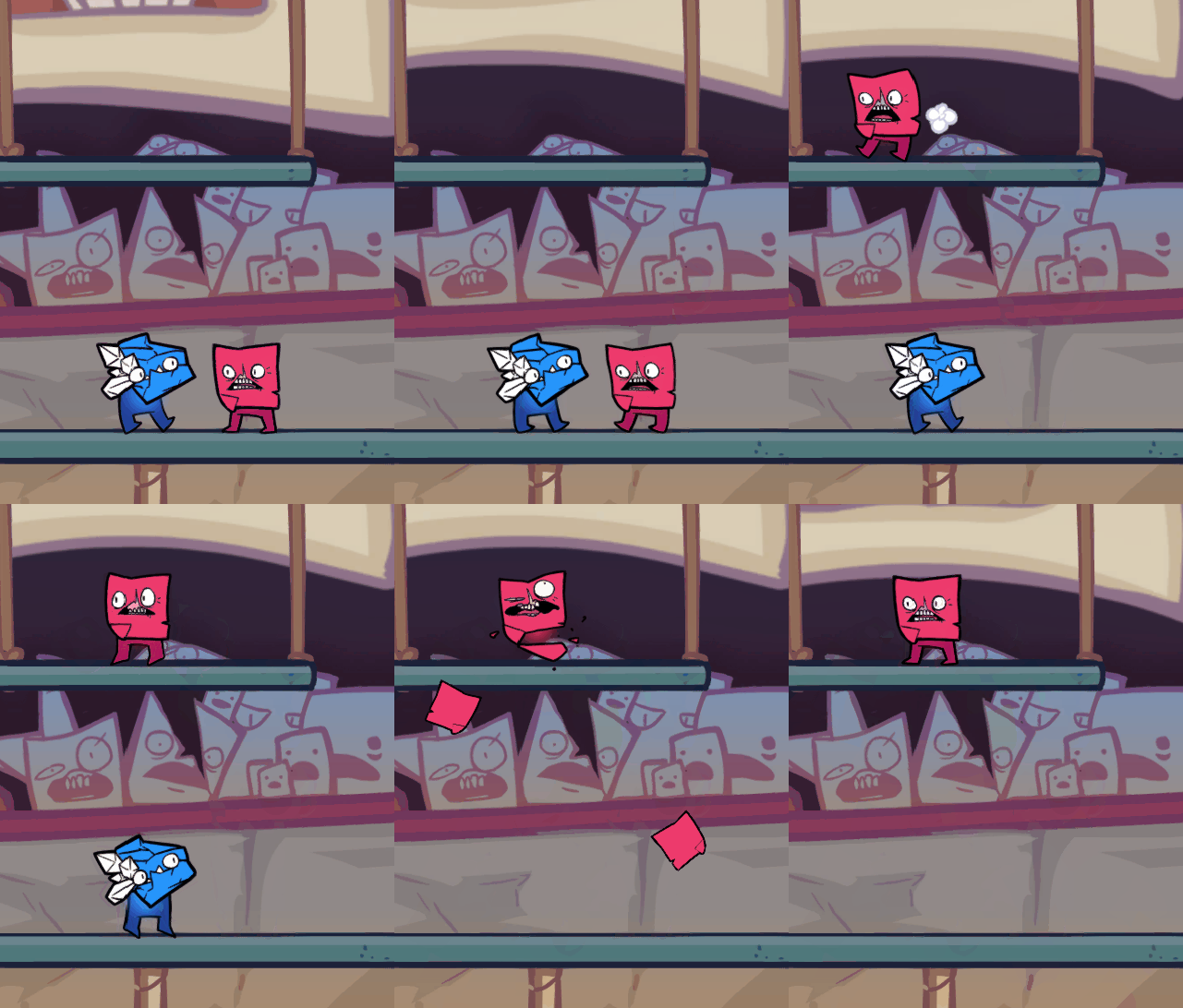
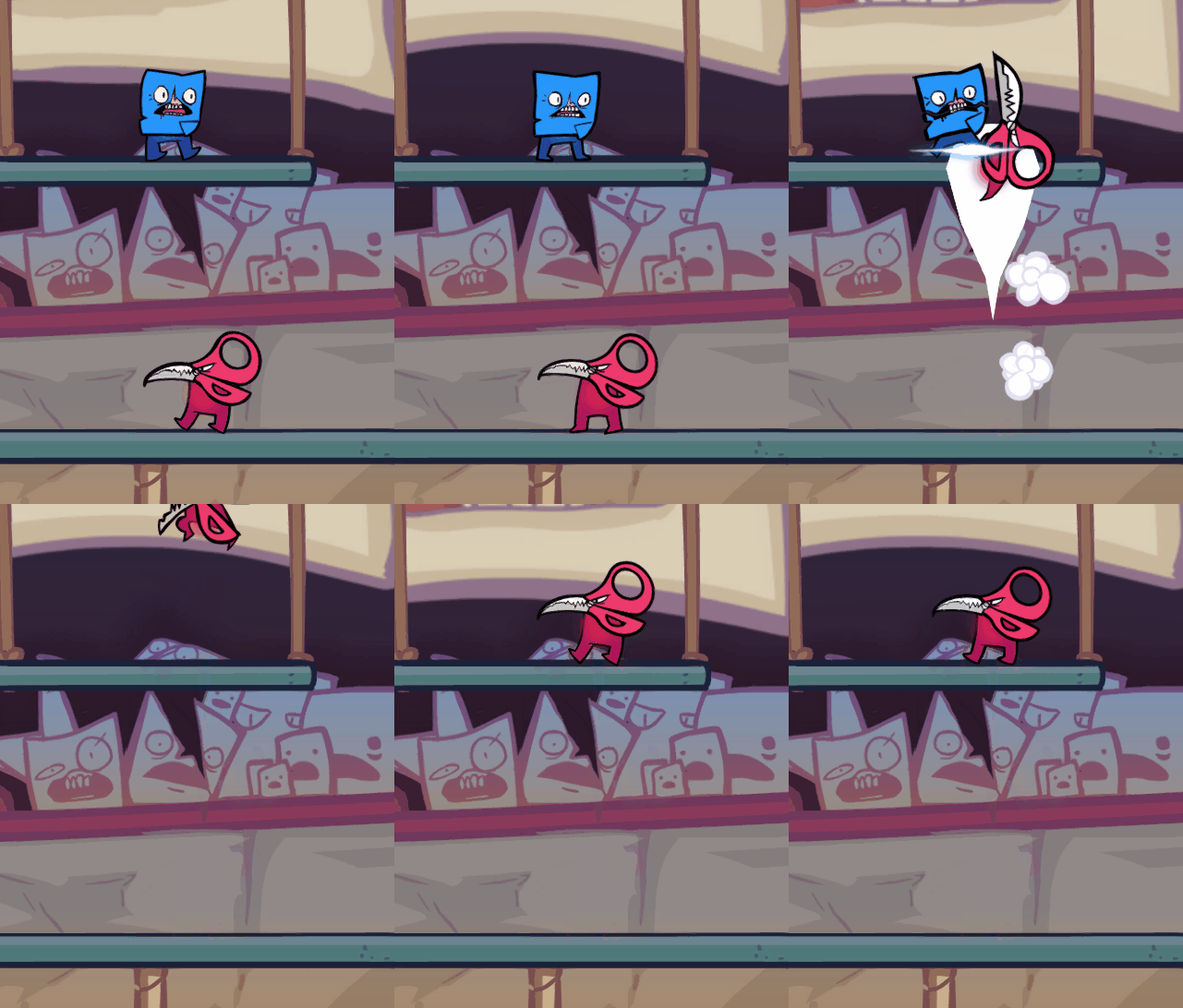
UI Technical Art
Creating modular UI for players that can constantly switch their characters.
All implementation is done using C# in Unity.
Implementation of UI designed to represent mechanics
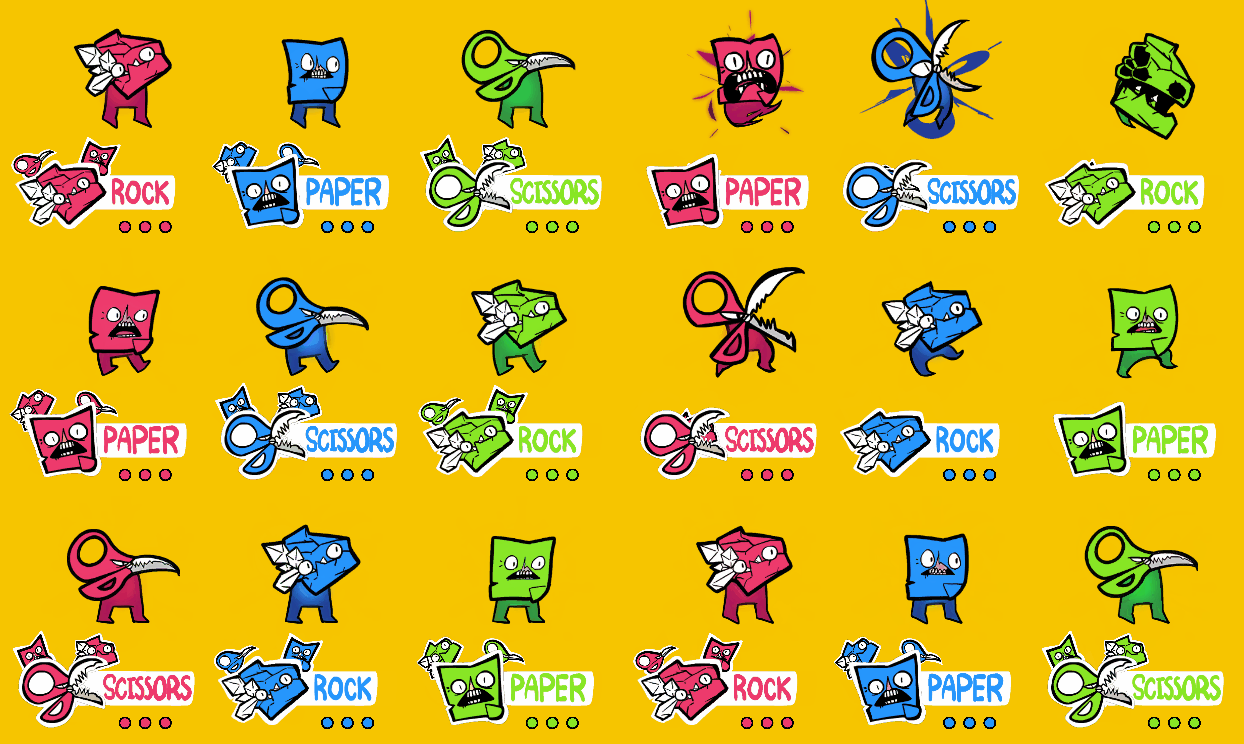
As RoShamBros is a brawler inspired by the Super Smash Bros games, I wanted the character UI to show what character a player is, as well as their life count. Unlike Smash Bros, in RoShamBros players are constantly switching their character type, meaning if the UI doesn't change it will become inaccurate really fast. This prompted me to design UI that changes to match what character a player currently is and shows the other characters that can be swapped to.
The three variations of player UI can be seen here:

The placement of the other characters is designed to match the control layout of the game. As it is a game of constant switching between three characters, and players only have two buttons to switch between characters, there has to be visual representation to show which character corresponds to what button.

Target
(Left Bumper)
Counter
(Right Bumper)

Counter
(Right Bumper)
Target
(Left Bumper)
You
Life count
Customization & Modularity
The colorization of the UI uses Scriptable Object color profiles that already color the characters in-game. Any desired color is possible with this, so I don't have to export new variants whenever there needs to be a new color for characters.
The simple animator is is triggered by events in the player's character ID scripts. The three animation states control the visual, position, and motion of the UI sprites.


Implemented
Design Process
"Ugly" Design Mockups - Just because it looks bad, doesn't mean it can't get the idea across!
 The first sketch of the RoShamBros heavy attacks. Sloppy, but it is the first ideation showcasing unique movement-based attacks as a dynamic for "countering". |  Paper's primary attack allows him to glide into the air and rain shreds of paper from above. Giving paper tremendous vertical movement really helped cement Rock as a character with largely horizontal movement. |
|---|---|
 Designs for in-game "juice", I really wanted to make effects for most actions, as it helps the game play even better. |  Trying to find a good way to add expression to each character. I knew I could make them all feel unique if I created strong silhouettes, different styles of faces, and different emotions they would really stand out against each other. |
 More expressions. |  After creating interesting ways to define the characters, work goes into creating fitting animations for them. Here is an example of when Paper covers Rock. |
 An example of Paper's basic attack. |  The final product. Every character is unique and obviously designed. Each character's primary attack serves as an overall counter for their target's movement style. |
bottom of page